Google Review Removal Service
Pay Only After Removal
Pay Only After Removal
Unlike reputation agencies that try to bury bad reviews, we focus exclusively on removing reviews that violate Google’s policies.
Google makes the final decision on every review.
No suppression. No fake reviews.

"Thank you RepSolver for protecting our business and giving us peace of mind." - Michelle, MedSpa Owner
Even a single policy-violating review can suppress rankings, reduce calls, and cost revenue.
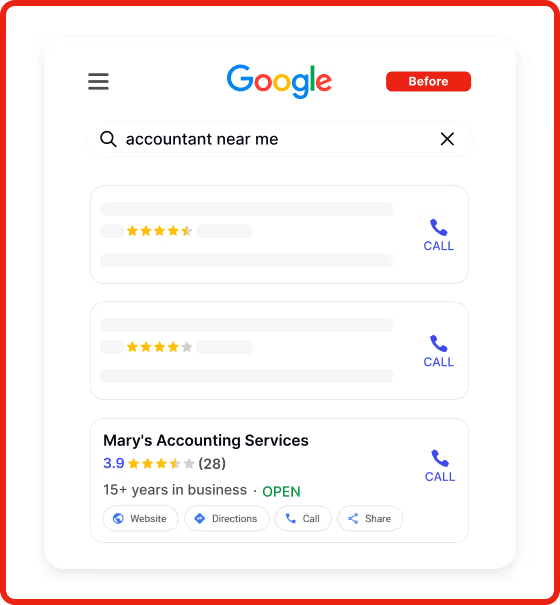
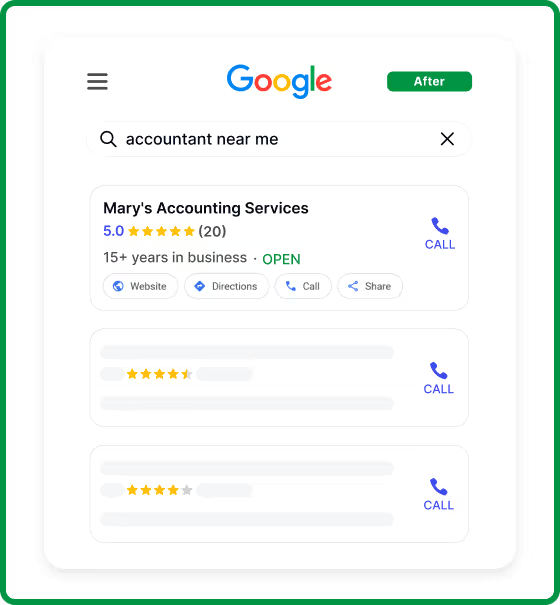
Customers read the worst reviews first









Here are answers to some of our most frequently asked questions
Negative reviews directly impact rankings, click-through rates, and inbound calls. Google surfaces low-rated reviews prominently, even when they are misleading or fake. Removing policy-violating reviews restores an accurate representation of your business and prevents long-term revenue loss.
No. Most businesses try first and hit automated rejections or dead ends. Google's self-service tools rely on basic automation and one-time review. They do not allow structured policy arguments, iterative follow-ups, or escalation when a valid violation is initially rejected. Most legitimate violations fail because they are reviewed once, out of context, and closed. Our process operates beyond standard reporting and manages the case through escalation until Google completes a full policy review.
We only pursue policy-based removals, and Google makes the final decision on each review. We do not suppress, bury, filter, or offset reviews.
Yes. All removals are policy-based and reviewed by Google. Final approval always rests with Google. We do not post fake reviews, incentivize ratings, or manipulate listings.
No. Nothing is charged until a review is removed. A temporary hold of one review's fee checks your card; it is not a charge.
Members connect their Google Business Profile so RepSolver can alert them to new one and two star reviews and post the replies they approve. RepSolver never changes business information or removes reviews through this connection. Review removal never needs access to your Google account; Review Manager is separate. See the Privacy Policy and Terms of Service.